
See what's slowing your Mac down. Stop it in one click.
Foreman is Task Manager for your Mac. Every app and what it's using, in plain English, with End Task, Efficiency Mode and Suspend right there.
Press control shift esc in any app to open it, the same keys as on Windows.
- Free for 24 hours, then $12 once, for up to 3 Macs
- macOS 14 or later, Apple silicon and Intel
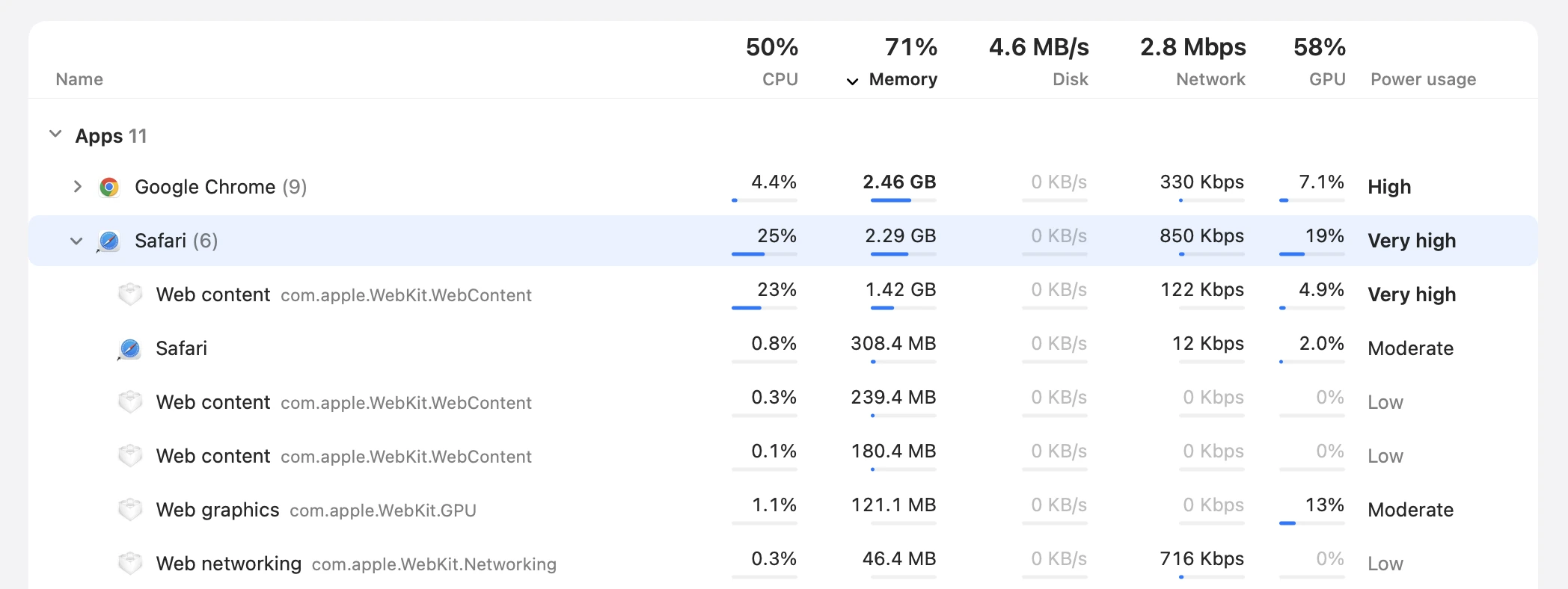
A Safari tab has run away with the processor. Select Safari, then press End Task.
A working model of Foreman with made-up figures. On your Mac, it shows your own.
A day on your Mac, with Foreman.
Most slowdowns have one cause you can see and deal with. Here is what that looks like over an ordinary day, in Foreman's own windows.
-
9:41Morning
A tab runs away with the processor.
The fans come on and everything feels sticky. Sort by CPU and Safari is at the top; open it up and one Web content process, one tab, is doing nearly all of it.
End Task
-
11:20After an import
Photos is catching up in the background.
Media analysis is reading a new batch of photos for search and Live Text, and Spotlight is indexing them. Useful work, just not right now, so let it carry on slowly.
Efficiency Mode

-
14:05A video call
Is it the Mac, or the call?
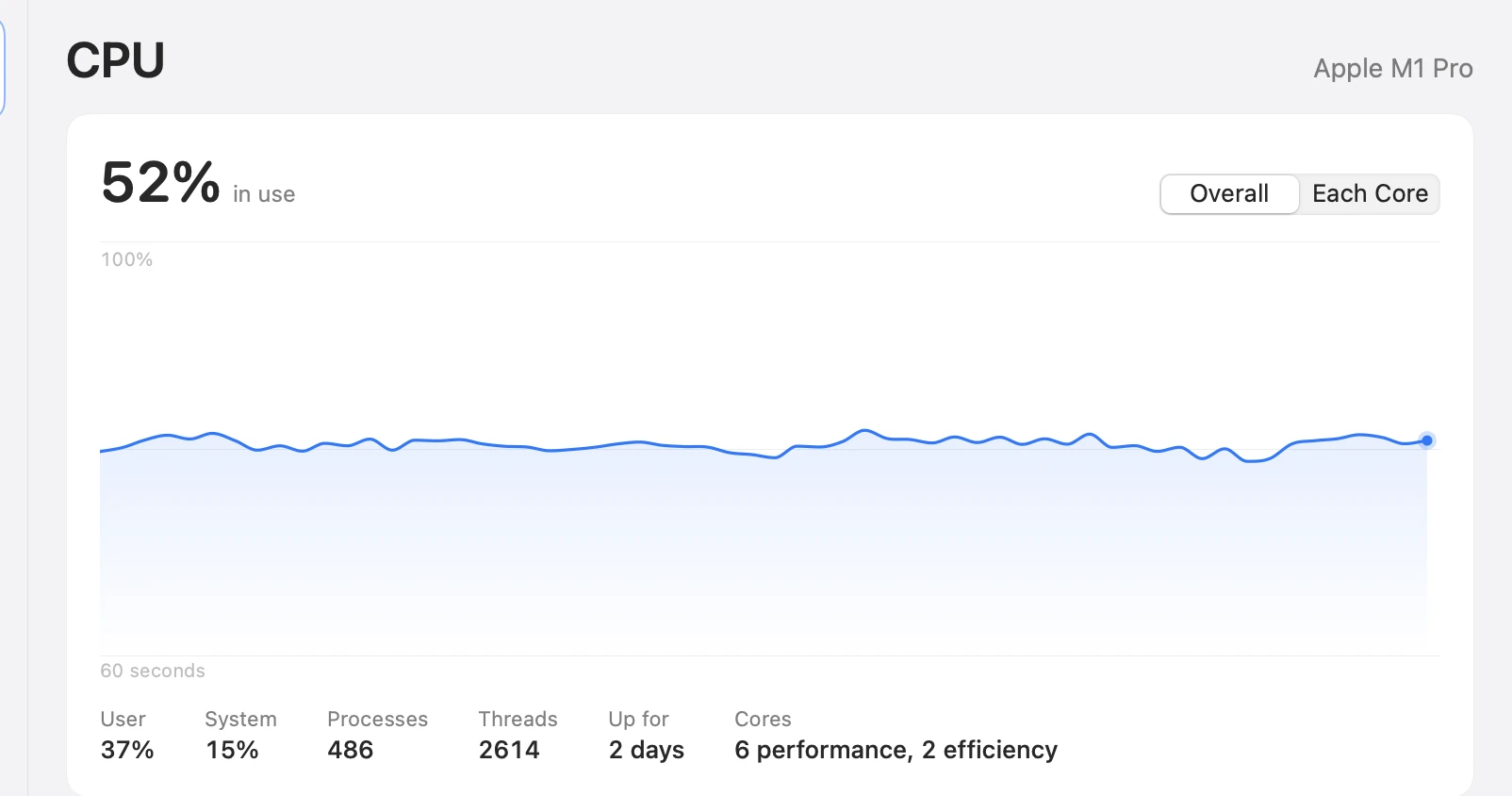
Performance shows the last minute of CPU, memory, disk, Wi-Fi and GPU, with the apps using the most under each. If the processor is busy, you can see with what, and act on it right there.
Performance
-
17:30Battery low
Where did the battery go?
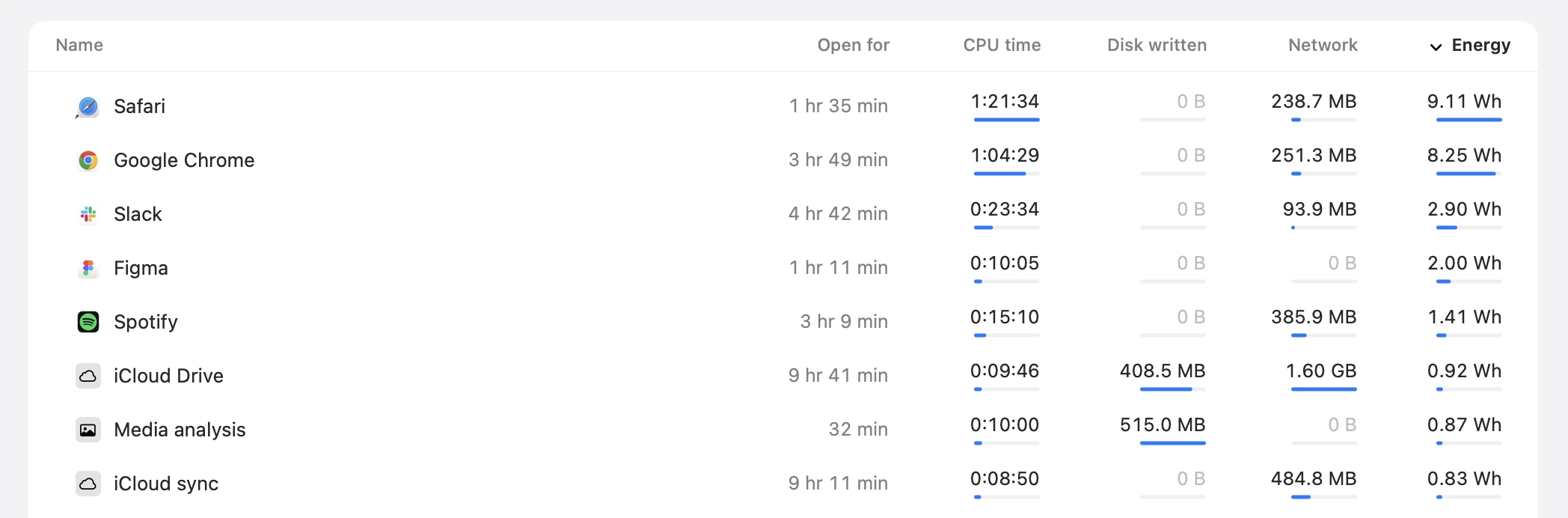
App History adds up what each app has used since it opened: processor time, disk, network and energy. Sort by Energy and the answer is at the top.
App History
-
8:55Next morning
A slow start, and three ghosts.
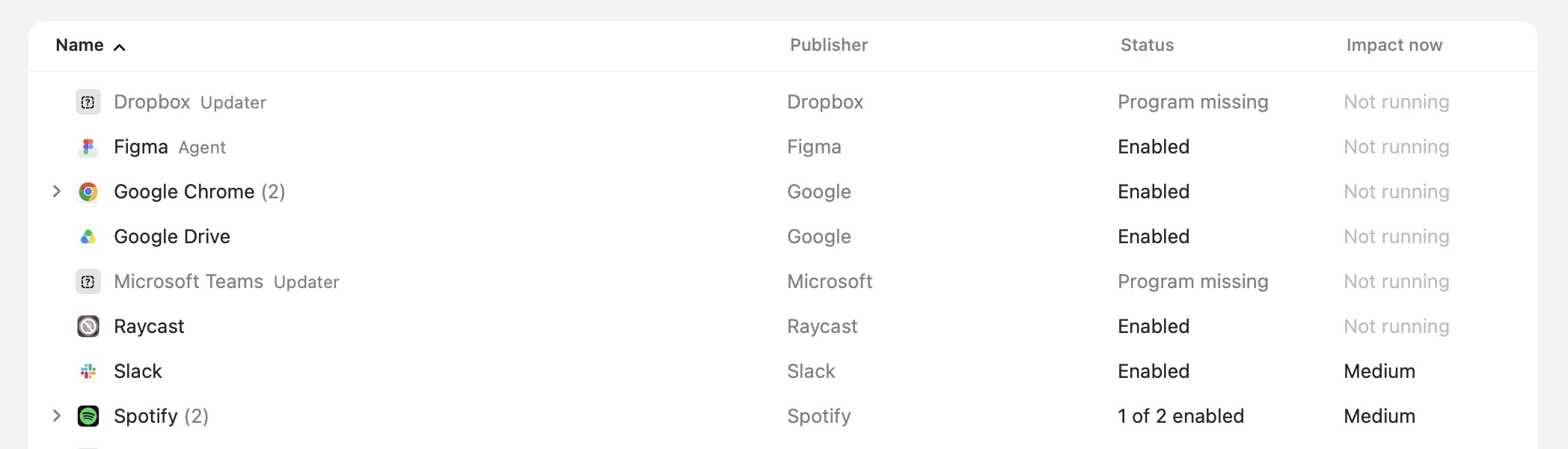
Startup Apps shows everything that opens at login or runs in the background, grouped by app. Three of them belong to apps you deleted long ago, and one password clears them all.
Clean Up Leftovers
Names you can actually read.
macOS runs hundreds of programs with names like mds_stores. Foreman says what each one is, keeps the real name beside it in grey, and folds every helper under the app it works for.
- mds_storesSpotlight indexingBuilds and updates the Spotlight search index. Busy after big file changes or updates.
- mediaanalysisdMedia analysisAnalyses photos and videos for search, Live Text and Visual Look Up.
- kernel_taskmacOS kernelThe core of macOS. High CPU here often means the Mac is slowing itself down to stay cool.
- birdiCloud DriveSyncs iCloud Drive files.
- com.apple.WebKit.WebContentWeb contentRenders a web page for Safari or another app using WebKit.
Everything Task Manager has, made for the Mac.
Six pages in the sidebar, the way Windows has them, and a readout in your menu bar. Close the window and Foreman leaves the Dock but stays ready on Control, Shift and Escape.
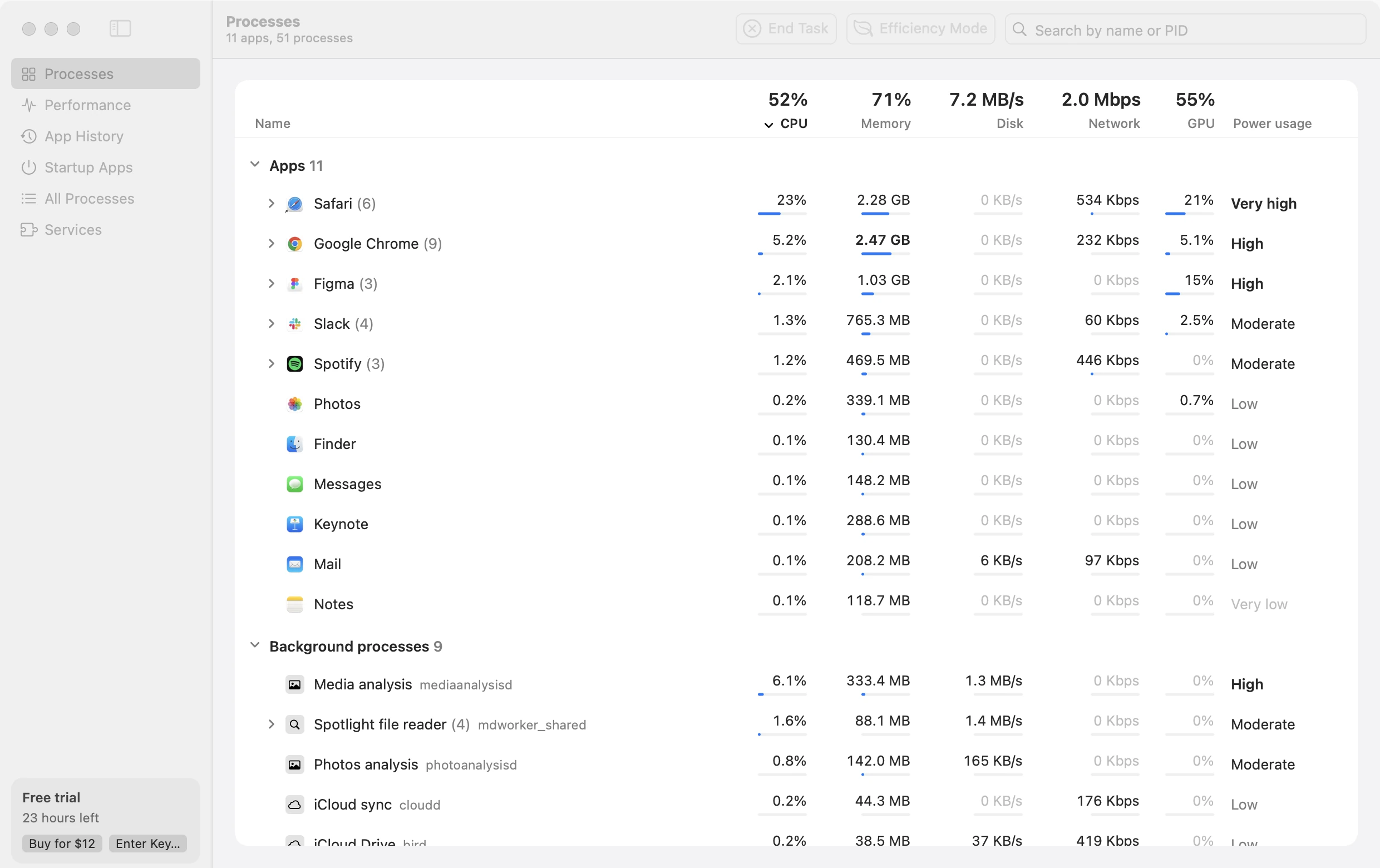
- Processes
- Apps, background and system processes, each app with its helpers added up under it.
- Performance
- Live graphs for CPU, overall or core by core, memory with memory pressure, disk, Wi-Fi and GPU.
- App History
- Processor time, disk, network and energy, since each app opened.
- Startup Apps
- What opens at login or runs in the background, grouped by app, and the leftovers of deleted apps.
- All Processes
- Every process with its PID, user, priority and path. Set Priority, End Process Tree, Properties.
- Services
- macOS's background services, for you and the system, with Start, Stop and Restart.
Efficiency Mode
Keep it open. Stop it hogging.
For the app you need open but don't need right now: the chat app, the second browser, the photo library catching up. In the background it gets a quarter of the processor it would take, at low priority, on the efficiency cores of Apple silicon.
- Full speed when you need it.Switch to the app, or let it play sound, and it runs freely until you switch away.
- Remembered.It's still in Efficiency Mode the next time the app opens, until you turn it off.
- Off from anywhere.Turn it off from the toolbar, the menu bar or any page, and the app runs at full speed again at once. Quit Foreman and everything does.
Always one click away.
A live readout sits in your menu bar. Click it for a panel with your Mac's figures and the apps using the most, each with End Task.
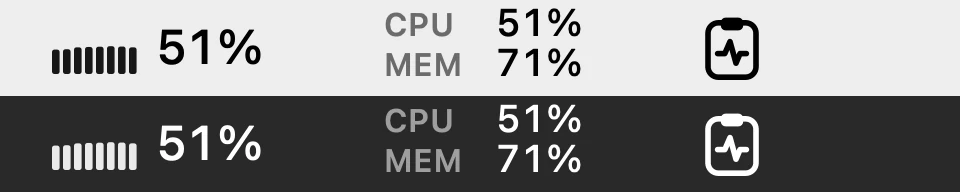 As a graph, as figures, or as an icon.
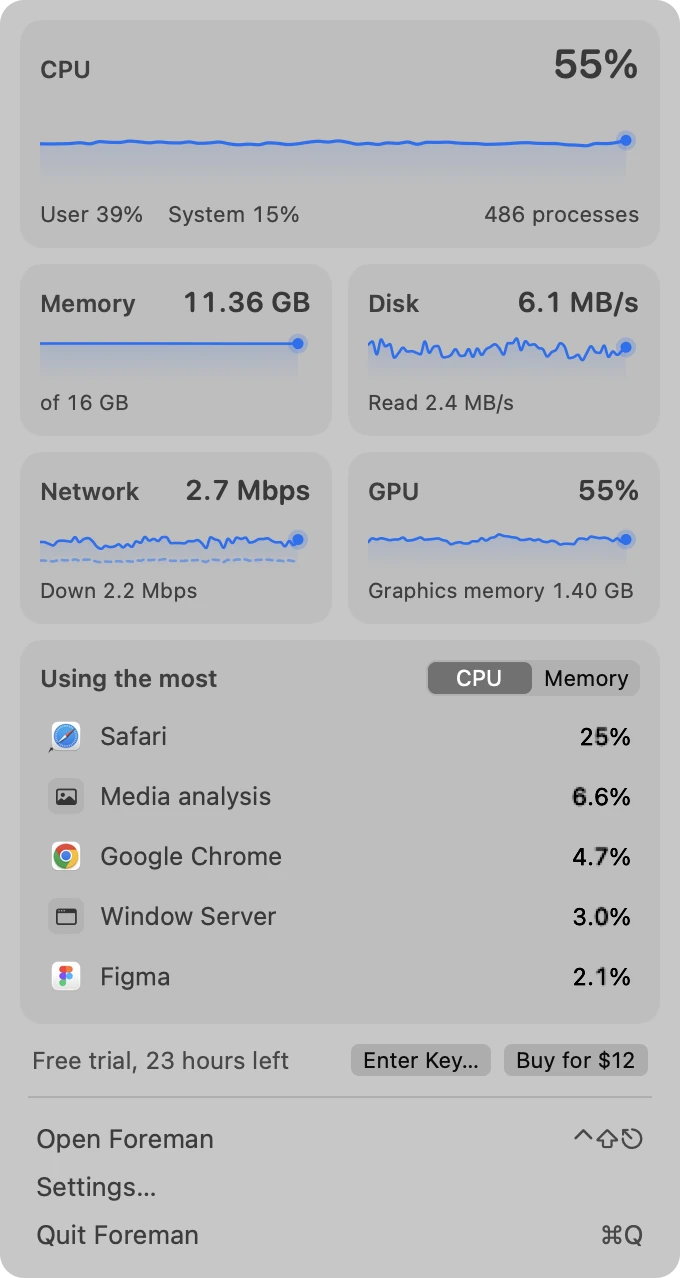

$12 once
Free for 24 hours. One license for up to 3 Macs.
macOS 14 or laterApple silicon and IntelSigned and notarized by AppleDownload 4.1 MBSeven-day refunds
Questions
Is it like Task Manager on Windows?
That's the idea. Processes, Performance, App History, Startup Apps, Details and Services are all there, and Control-Shift-Escape opens it from any app. It's made for macOS, so it knows macOS: plain-English names for its processes, Efficiency Mode for apps that hog the Mac, and a readout in the menu bar.
Is it safe to end a process?
End Task asks an app to quit the normal way, so it can offer to save your work. Force quitting warns you first. Foreman won't end the core of macOS at all, and it warns you before ending anything that would log you out or freeze the Mac.
Why does it ask to control System Events?
The Startup Apps page reads and changes your login items through System Events, so macOS asks you once. Click OK to see and switch those items. If you'd rather not, the rest of Foreman works as usual.
Why does it sometimes ask for my password?
Ending or changing a system process takes an administrator, so Foreman asks for your password first. Apps you opened yourself don't need it.
Does Foreman slow my Mac down?
No. With its window closed, Foreman reads a few machine-wide counters for the menu bar and nothing else, so it can sit there all day.
What happens when the trial ends?
Everything works for 24 hours from the first launch. To keep using Foreman after that, buy a license for $12 and enter its key in Foreman > Enter License Key… One key works on up to 3 Macs. Anything you put in Efficiency Mode runs at full speed again when the trial ends.
Which Macs does it run on?
Any Mac on macOS 14 Sonoma or later, with Apple silicon or Intel.